Custom Prayer Times · iOS 1.3.4
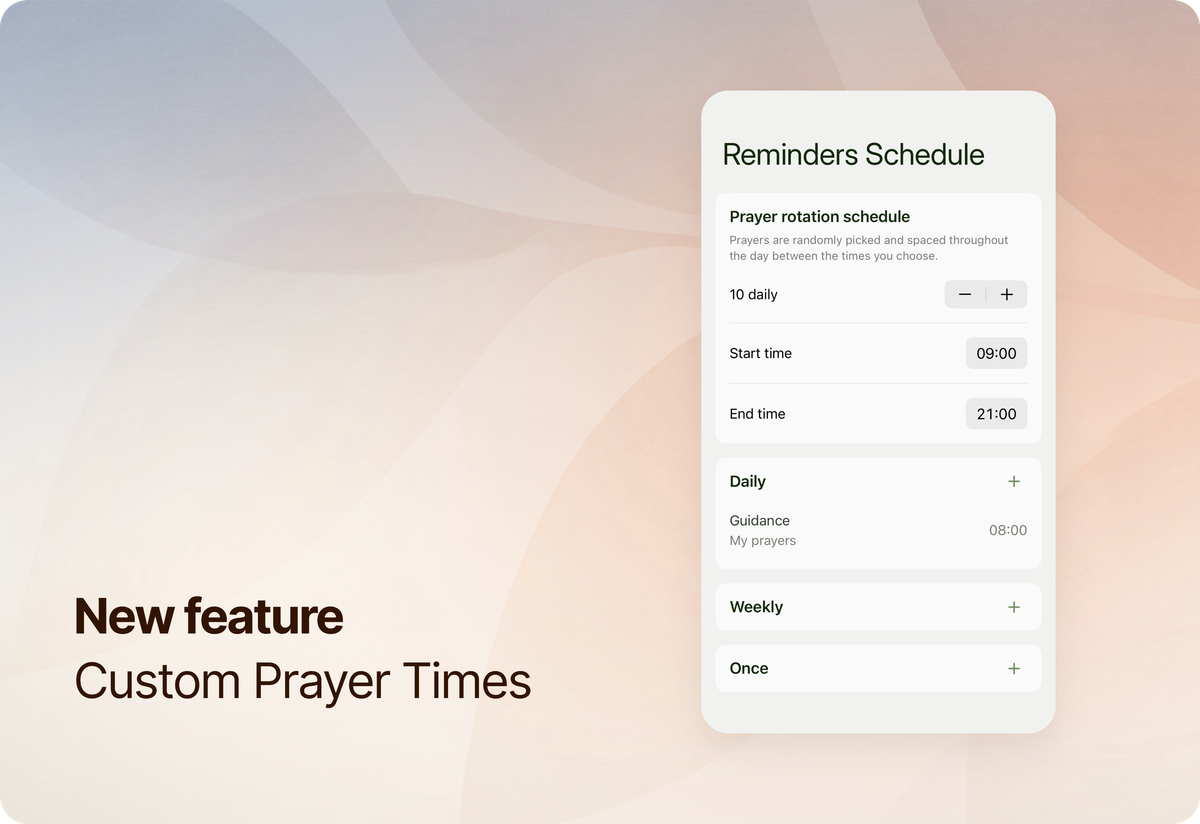
Many of you have asked for this for a long time, and we’re excited to release this for iOS in version 1.3.4. If the feature does not appear automatically, you can update Prayminder manually from the App Store.
This feature lets you choose when specific prayers appear, while still keeping the existing prayer rotation for the rest of your list.
What's new
In this new update, reminders can work in two ways:
Prayer rotation (same as before)
Reminders are picked from your prayer list and shown over time, based on your rotation schedule. This is the current functionality that existed in Prayminder.
Custom prayer times (new)
You can set specific days and times for individual prayers. These reminders appear exactly when you choose. You can choose between three types of set times:
- Daily, for prayers you want to return to at the same time each day
- Weekly, for prayers tied to certain days of the week
- Once, for a single moment you don’t want to forget
Both approaches (random rotation and custom times) can be used together, letting you shape a rhythm that fits your life.
How to use
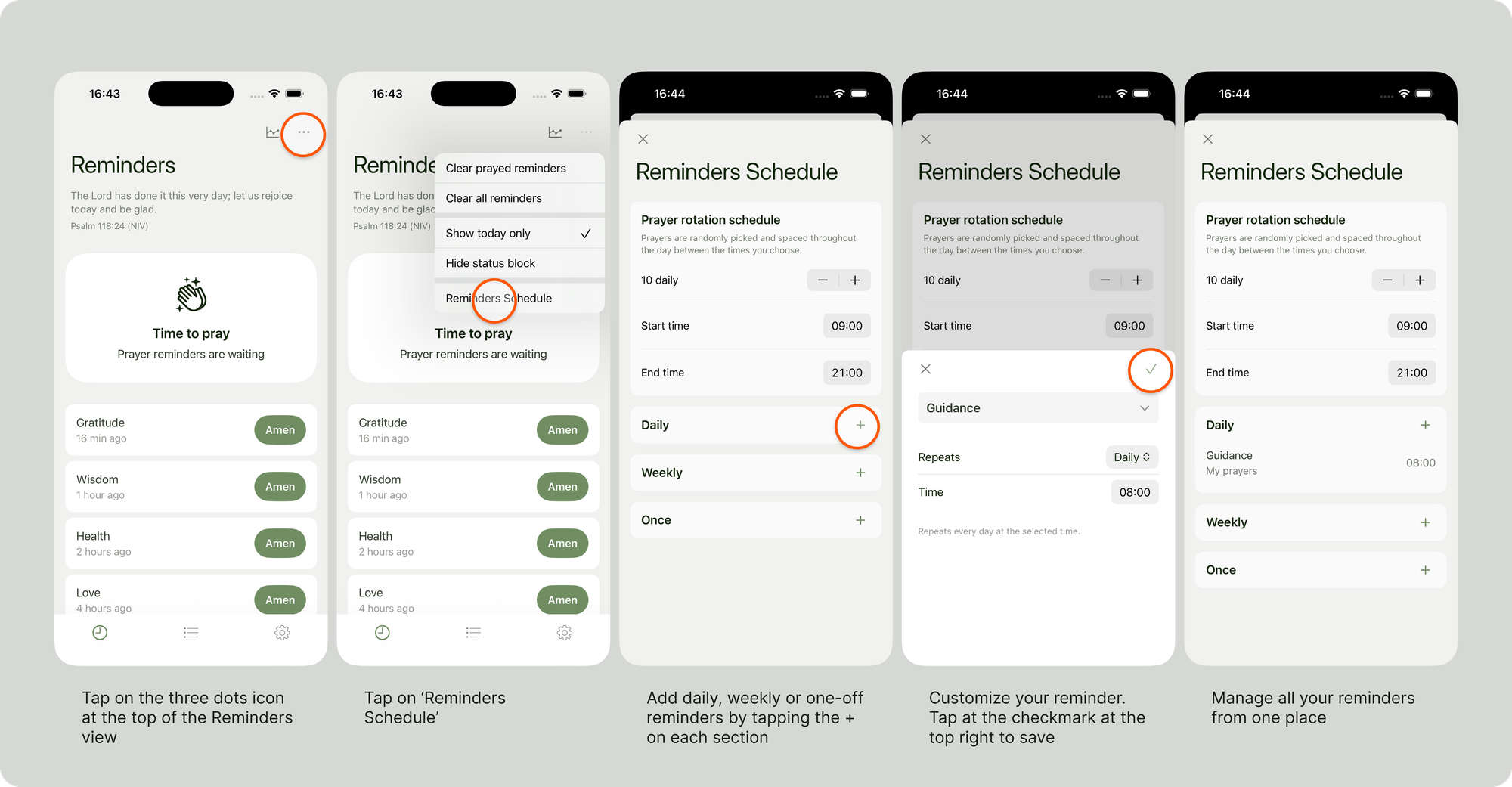
You can manage your reminders schedule for both rotation and custom times from the new Reminders Schedule option as in the image below.
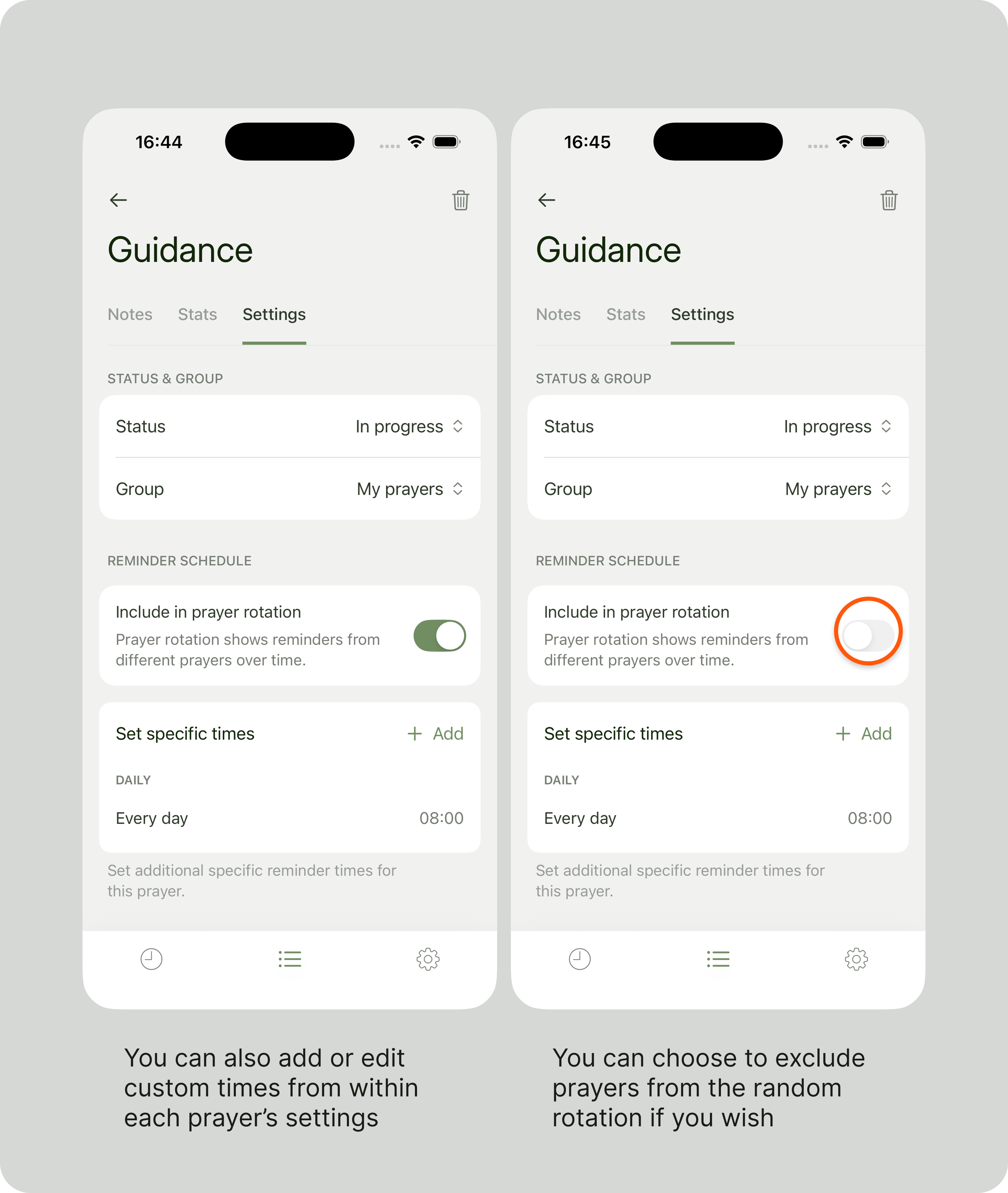
You can also add or edit custom times, as well as exclude specific prayers from the random rotation, from within each prayer's settings view, as in the image below:
Thank you for your patience as we’ve worked toward this release. Custom prayer times have been one of the most requested features, and we’re grateful for the encouragement and trust you’ve shown along the way. We hope this new addition helps you shape a rhythm of prayer that feels more intentional, steady, and personal in your everyday life.
Blessings,
Panos & Emma