Custom Prayer Times · Join the beta
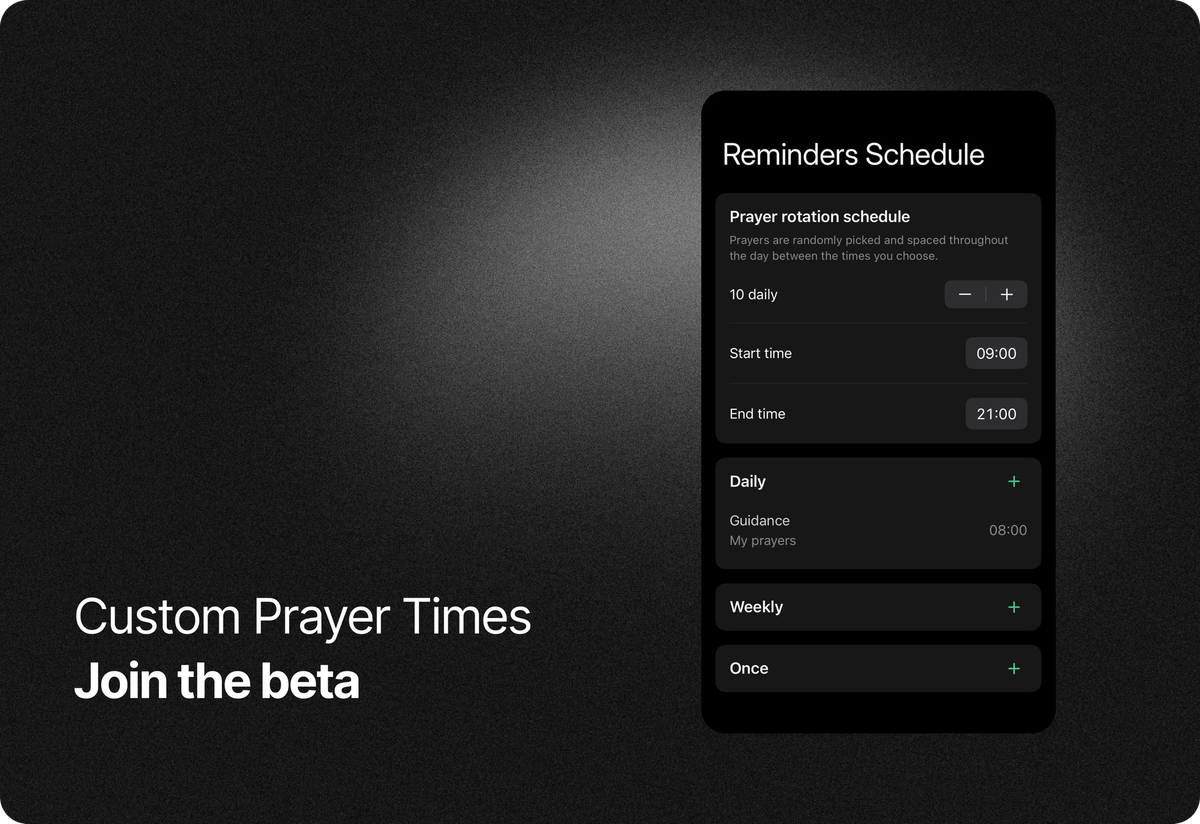
Be among the first to try custom prayer times and help us shape this new feature.
Many of you have asked for this for a long time, and we’re grateful for your patience. We’re excited to release this as public beta, and we’d love your help testing it before it goes live.
This feature lets you choose when specific prayers appear, while still keeping the existing prayer rotation for the rest of your list.
What's new
In this beta update, reminders can work in two ways:
Prayer rotation (same as before)
Reminders are picked from your prayer list and shown over time, based on your rotation schedule. This is the current functionality that existed in Prayminder.
Custom prayer times (new)
You can set specific days and times for individual prayers. These reminders appear exactly when you choose. You can choose between three types of set times:
- Daily, for prayers you want to return to at the same time each day
- Weekly, for prayers tied to certain days of the week
- Once, for a single moment you don’t want to forget
Both approaches (random rotation and custom times) can be used together, letting you shape a rhythm that fits your life.
How to use
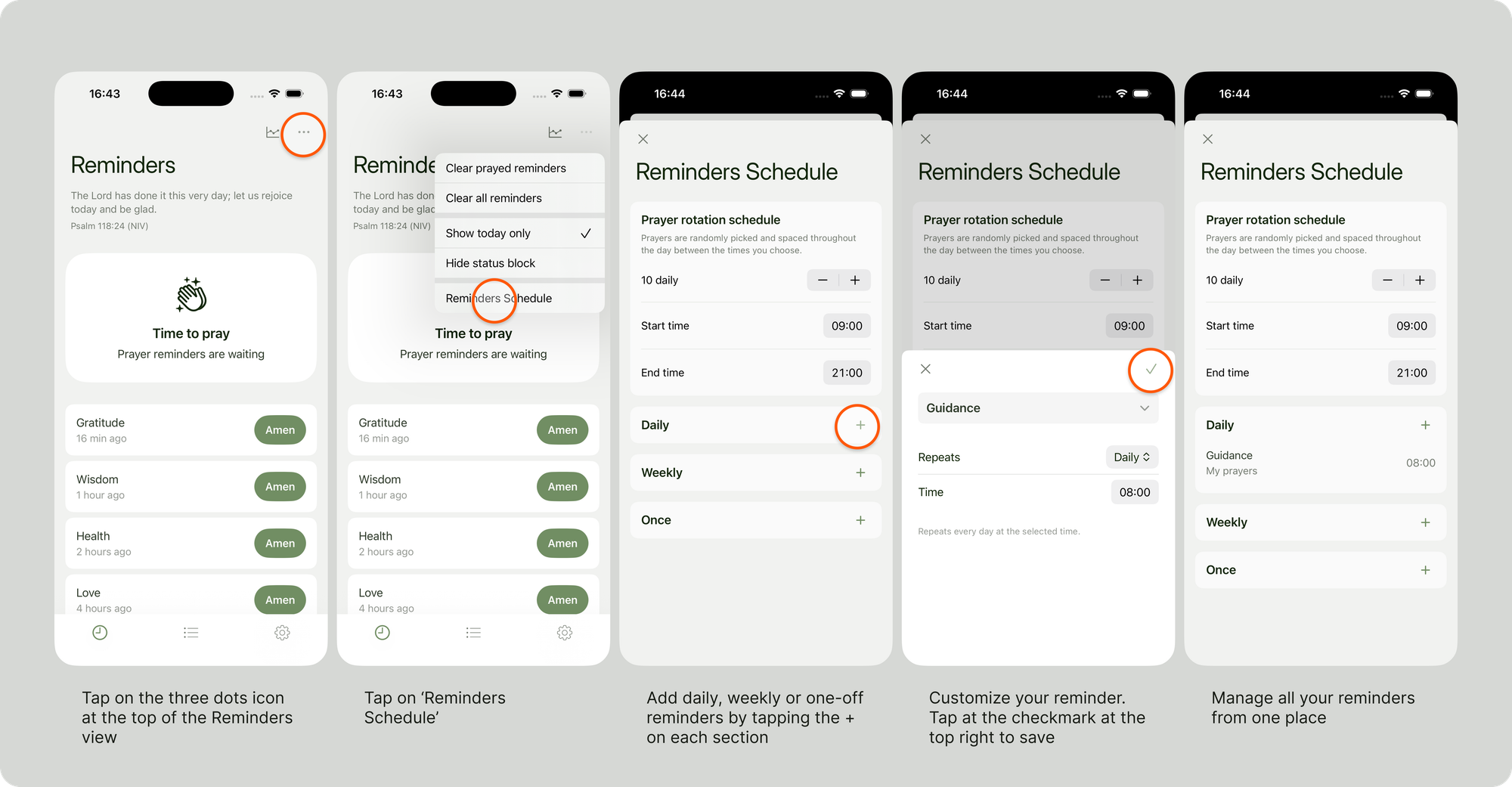
You can manage your reminders schedule for both rotation and custom times from the new Reminders Schedule option as in the image below.
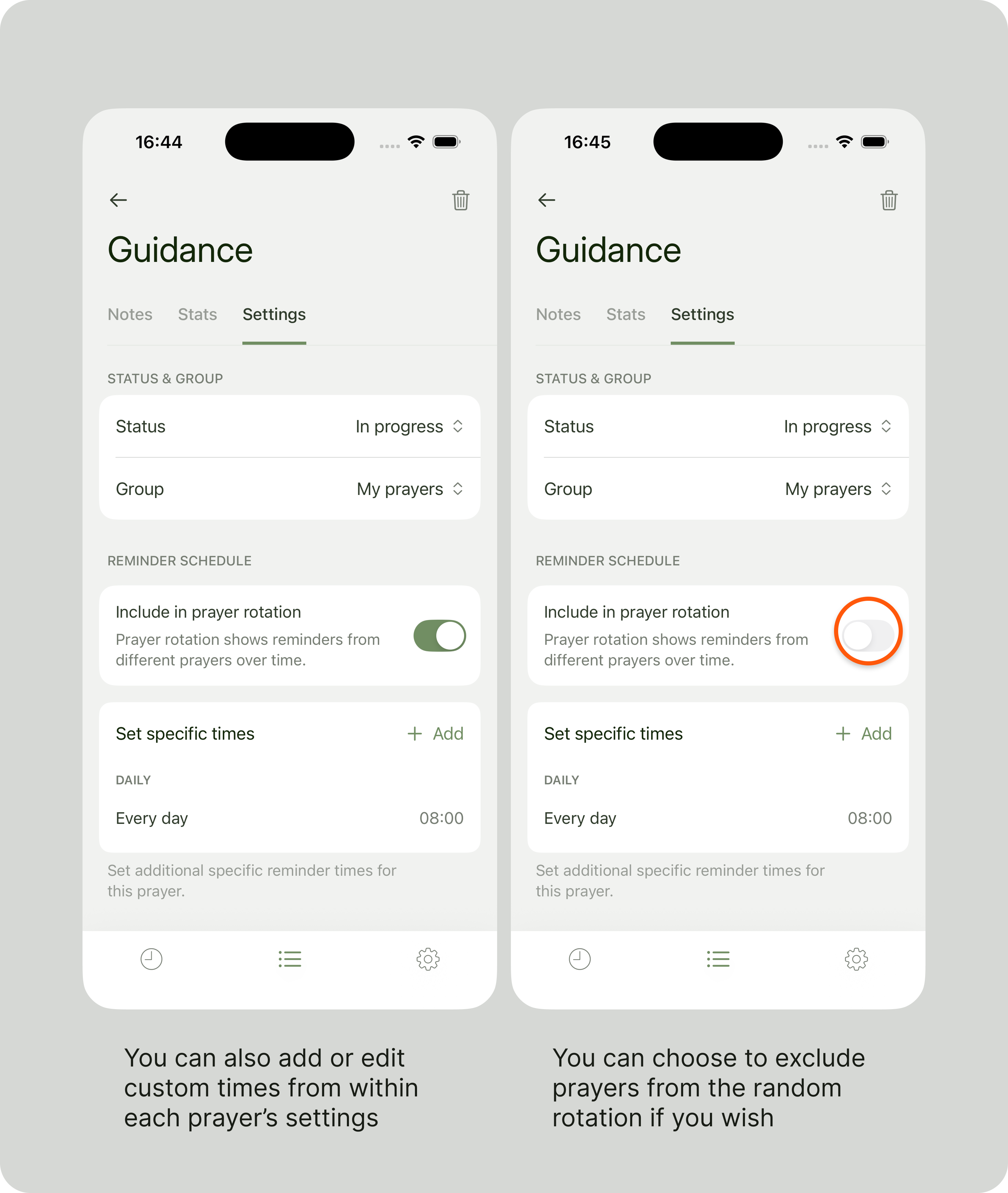
You can also add or edit custom times, as well as exclude specific prayers from the random rotation, from within each prayer's settings view, as in the image below:
Back up before you test
This is a test version of the app. While it’s stable, things can go wrong, and test builds can behave differently from the App Store version.
- Before installing the test version, please back up your prayers.
- You can do this from Settings → Export prayers.
This ensures you won’t lose anything important. (Please note that exporting and importing only includes your prayers. Prayer statistics are stored locally on your device and are not part of the backup. If you uninstall the app, your statistics will be permanently lost.)
How to test
- Install TestFlight from the App Store if you don’t already have it
- Open Safari (or your select web browser) and visit prayminder.com/test
- Install the Prayminder test version
- Use the app as you normally would, and try out custom schedules
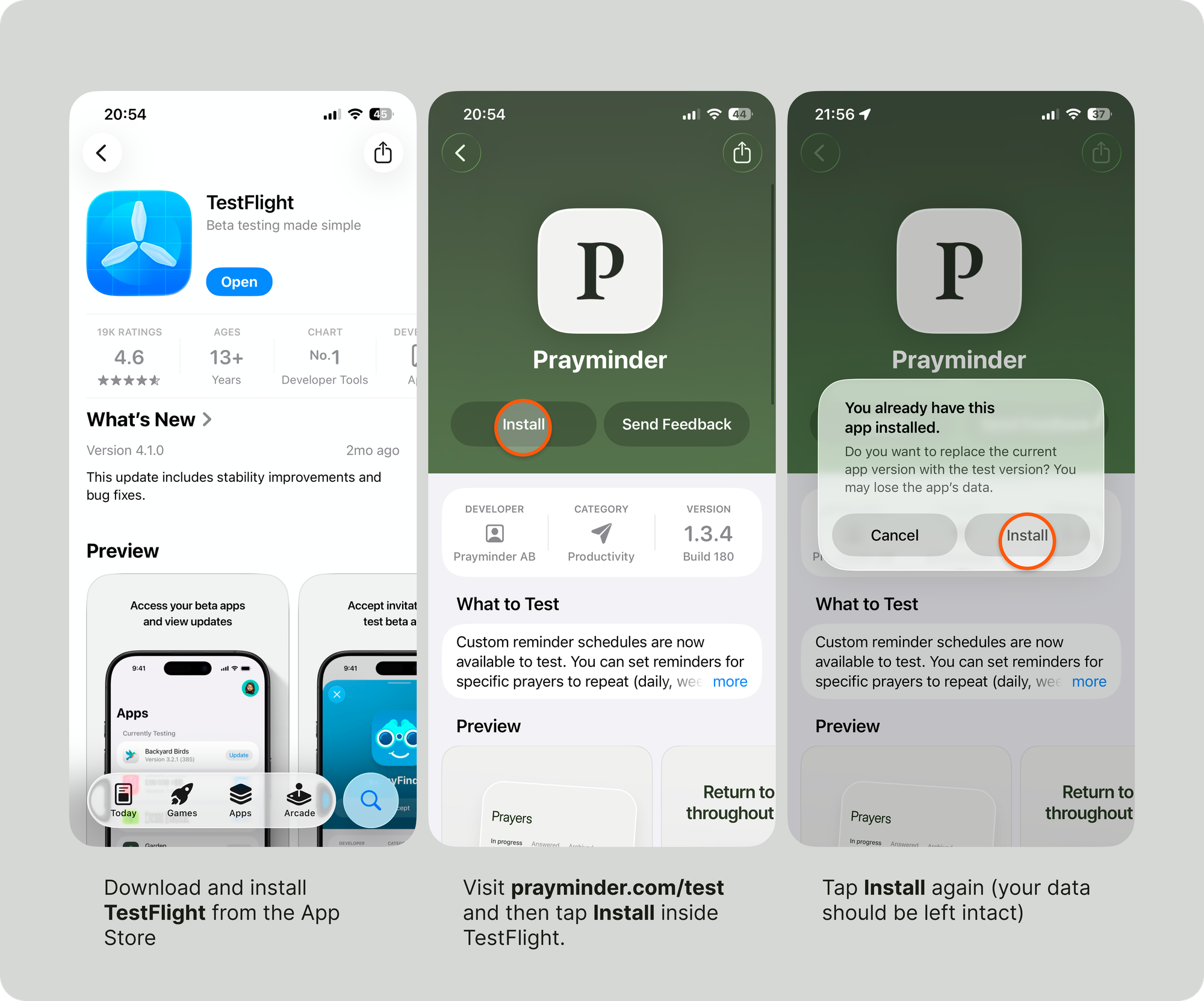
(If you run into any issues installing the test version, please follow the instructions on the TestFlight page or reach out to us and we'll help you.)
Good to know
Feedback
Your feedback is essential while we’re testing this. If something feels confusing, doesn’t work as expected, or could be improved, please let us know.
You can share feedback directly in the TestFlight app by opening Prayminder in TestFlight and tapping Send Beta Feedback, or you can just contact us.
Thank you for walking this journey with us and for helping shape Prayminder into something that truly supports prayer in everyday life.
Blessings,
